Printed, signed prescriptions for private doctors
For doctors in private clinics and practices who still write prescriptions by hand. A prescription is written from the patient's record and comes out as an A4 PDF, with the clinic's logo and the doctor's saved signature and licence number, printed for the patient to take to the pharmacy.
Below are the fields a prescription has, how it is signed, how it is corrected and what stays on the patient's record. Medical Solutions is not the national e-prescription system and is not connected to it.
What the doctor fills in
A prescription is opened from the patient's record, under Prescriptions, so the patient's name, age and address are not typed again. The prescribing doctor is chosen from the doctors the clinic has added in Settings, and the rest is filled in:
- The diagnosis. Without it, the prescription is not issued.
- The type: acute or chronic. Neither is chosen in advance, because it is a clinical decision. A chronic prescription also carries the number of months, from 2 to 6.
- The medicines, one or more. For each: the name, the quantity the pharmacy hands over (D.T.D.), the dose, how often, for how long and the instructions. Only the name is required, so a doctor who writes everything on one line is not held up.
- Notes for the whole prescription, when needed.
How the prescription looks on paper
The prescription prints on A4. The patient's date of birth and phone number are not printed: the age is enough, in months for a child under one, and a lost prescription gives away less. From top to bottom, the page carries:
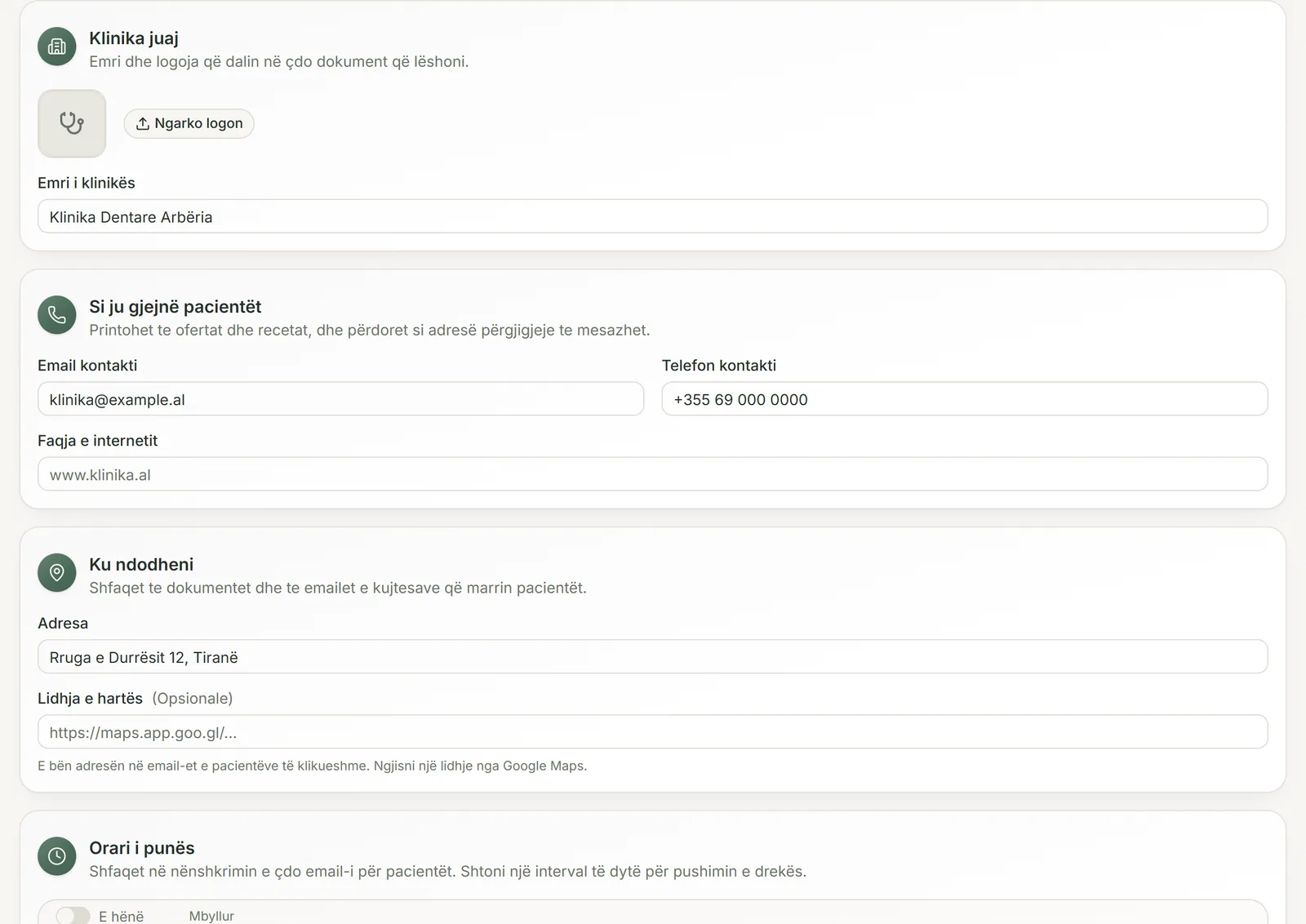
- the clinic's logo, name, address, phone and email, as set in the clinic profile;
- the prescription code (RX, the year and a running number, counted separately for each clinic) and the date it was issued;
- the patient's name, age and address, the diagnosis and the acute or chronic box, ticked;
- the medicines, numbered, with quantity, dose and instructions;
- the doctor's signature, name, specialty and licence number, with an empty box for the stamp;
- a box for the pharmacy to note partial dispensing.
Signature, licence number and stamp
Each doctor's signature is saved once in Settings, under Doctors: drawn on the screen or uploaded from a scan. From then on it goes onto every prescription that doctor issues, with no PIN and nothing to type. The licence number is added in the same place.
If a doctor has no saved signature, the prescription prints with a blank line to sign by hand, and the form says so before it is issued. The same happens when the licence number is missing. The stamp is applied by hand, in the box the prescription leaves for it.
A doctor removed from the list cannot sign new prescriptions, while the ones they already signed stay as they are. When a doctor changes their signature, earlier prescriptions keep the signature they were issued with.
After issue: voided, never edited
An issued prescription is never edited or deleted. When something is wrong, the doctor voids it with a reason and issues a new one. The voided prescription stays on the patient's record, and every copy downloaded afterwards is titled VOIDED, with the date and the reason, and without the doctor's signature.
So when a pharmacy phones about a code, the clinic can find the prescription and say whether it stands. If the issue button is pressed twice, or the connection drops halfway, the same prescription comes back, not a second one with another number.
A copy downloaded years later is the same document: the patient's name and address, the clinic's details and the doctor's signature as they were on the day it was issued, in the language it was issued in, Albanian or English.
What stays on the patient's record
Every prescription is listed on the patient's record with its code, date, medicines and doctor, and can be downloaded again whenever it is needed. A patient record that holds prescriptions cannot be deleted, only archived, so no prescription is lost to a wrong click.
Each time a prescription is issued, downloaded or voided, the clinic's activity log notes it. When the clinic downloads all of its data, every prescription is included as a PDF.
Not the national e-prescription system
Medical Solutions is not connected to the national electronic prescription system and sends nothing to it, nor to pharmacies or insurers. A prescription here is a document the clinic prints and gives to the patient. When a medicine has to be prescribed in the national system, it is prescribed there, outside Medical Solutions.
The software gives you the fields and the printed page. The doctor remains responsible for making sure a prescription meets the rules that apply to their practice.
Common questions
Is the prescription sent to the national e-prescription system?
No. Medical Solutions has no connection to that system. The prescription comes out as a PDF the clinic prints, and nothing is sent to the state, to pharmacies or to insurers.
How do I correct a wrong dose after the prescription is issued?
Void the prescription from the patient's record and write the reason, for example that a new prescription replaces it. Then issue the correct one. The old one stays on the record, and every copy of it prints as voided.
Can several doctors in the same clinic issue prescriptions?
Yes. Each doctor is added in Settings with their own signature and licence number, and each prescription names who prescribes it. The clinic works on one shared login, so the doctor is chosen on the form rather than by a separate login.
What prints if the doctor has no saved signature?
A blank line above the doctor's name, to sign by hand. The form warns you before issuing, and the signature can be added in Settings for the prescriptions that follow.
Can I issue a prescription in English for a patient from abroad?
Yes. A prescription prints in the language the screen was in when it was issued, Albanian or English, and every later copy comes out in that same language. Medicine names and instructions print as the doctor typed them.
Try it in your clinic
14 days free, with no credit card. To carry on, choose 1, 3, 6 or 12 months and pay once: nothing renews automatically.